
Last Updated on April 13, 2026 by Alphabet Insider Staff
Top ChromeOS laptops worth buying
Considering ditching Windows for a ChromeOS laptop but now sure what to buy? Fret not my friend. You’ve just found your definitive guide to the best Chromebooks to buy in 2026. Our curated list of Chromebooks recommends the top-rated models, as rated by both industry experts and real consumers.
If you’re reading this, chances are you’re tired of sluggish performance, frequent updates, and the constant threat of malware. Welcome to the wonderful world of Chromebooks, my friend. Sleek, speedy, and secure, Chrome OS laptops are more impressive nowadays and offer incredible value and a pleasurable user experience.
Since debuting in June 2011, Chromebooks have evolved for the better, erasing the stigma of being basic and flimsy. Today’s Chromebooks flaunt premium designs, powerful processors, and a host of AI-powered features to help you breeze through everyday tasks.
Chromebooks are the best laptops for students on a budget, traveling professionals, and anyone else looking for a reliable and secure personal computer. To help you find the best Chromebook for your use case, we did all the research and legwork so you don’t have to.
After hours of scouring the internet and diving deep into tech reviews and real-world customer feedback, we’re ready for our close-up. Google Gazette is proud to bring you this definitive guide to the Chromebooks of 2026 so you can embrace the ChromeOS revolution!
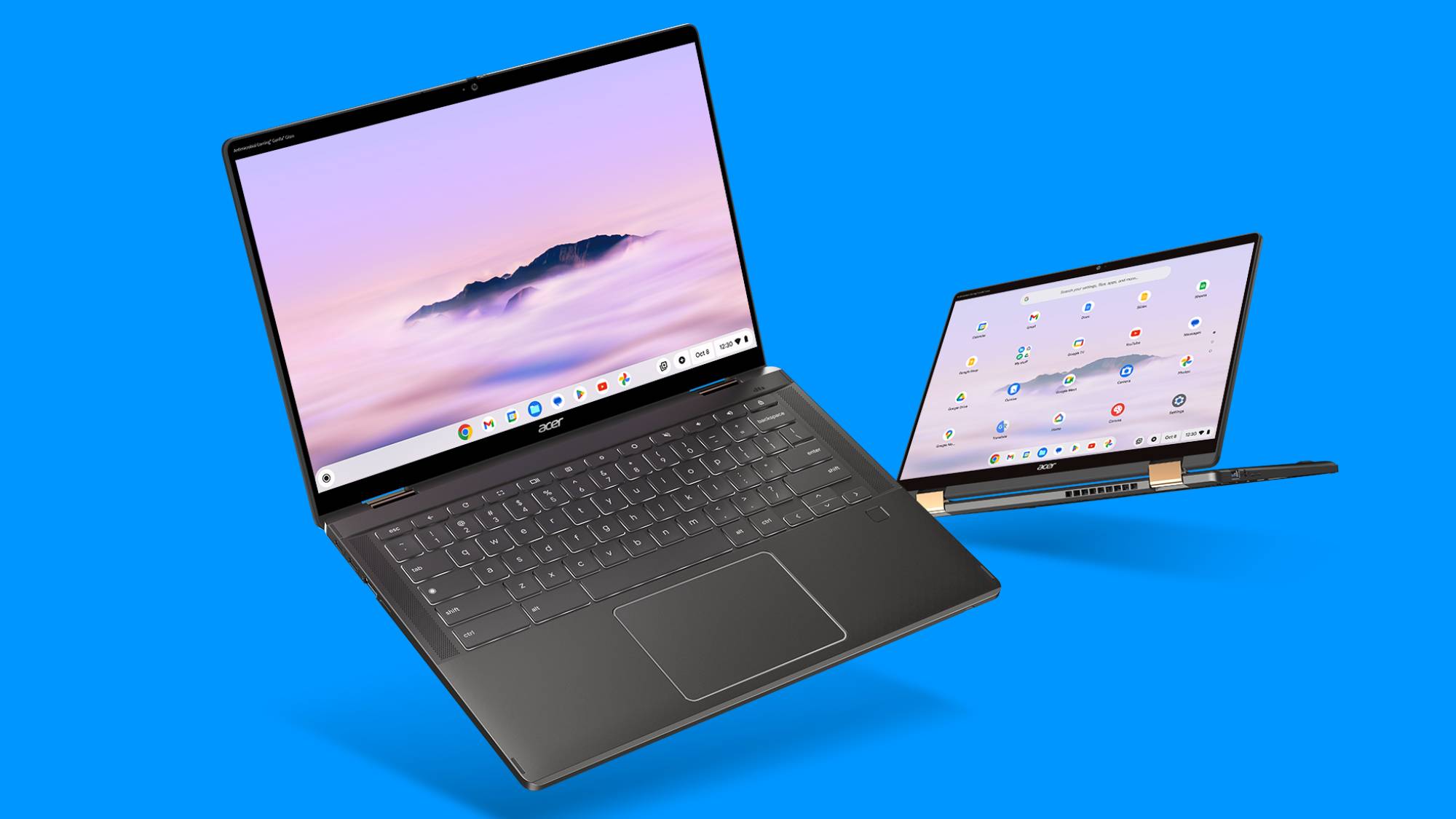
1. Acer Chromebook Plus Spin 714
The all-rounder champion

Why it’s a winner: The Acer Chromebook Plus Spin 714 consistently tops “best of” lists, and for good reason. It’s the ultimate jack-of-all-trades, offering a fantastic balance of performance, versatility, and premium features without breaking the bank.
What the experts say: PCMag hails it for its “class-leading performance and features at an excellent price,” praising its “potent CPU performance with an upgraded Intel Core i5 processor.” RTINGS.com says it’s “good for business use,” noting that it’s “easy to carry around to meetings and while you travel.”
Customer rave: “I use this for everything! Work, casual Browse, even some light photo editing. The screen is gorgeous, and it’s incredibly fast. Plus, the 2-in-1 design is so handy for presentations,” satisfied customer Sarah L said in a Best Buy review.
Key Features: Intel Core Ultra processor, 14-inch touchscreen, 2-in-1 convertible design, excellent battery life, stylus support.
Buy the Acer Chromebook Plus Spin 714 at Best Buy:

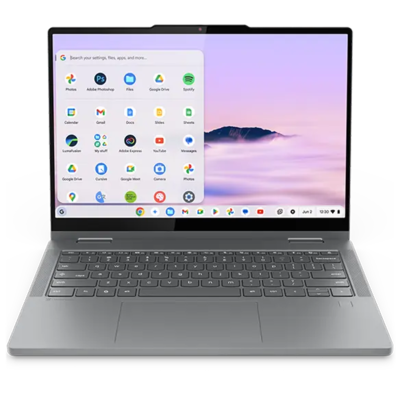
2. Lenovo Flex 5i Chromebook Plus
Best for students

Why it’s a winner: Students need a Chromebook that’s affordable, durable, and can keep up with their busy schedules. The Lenovo Flex 5i Chromebook Plus delivers on all fronts, making it an ideal companion for lectures, assignments, and everything in between.
What the experts say: Chrome Unboxed says it’s one of the “best bang for your buck” Chromebooks noting how “the internals of this device give you plenty of performance.” ZDNET highlights its versatility and value.
Customer rave: “As a college student, this Chromebook is a lifesaver. It’s super portable, the battery lasts all day, and I can easily switch between typing essays and sketching notes in tablet mode. Couldn’t ask for more!” – Mark T., a happy student in a Best Buy review.
Key Features: Lightweight design, solid performance, up to 10 hours battery life, versatile 2-in-1 form factor.
Buy the Lenovo Flex 5i Chromebook Plus at Best Buy:
3. Asus ExpertBook CX54 Chromebook Plus
The premium powerhouse
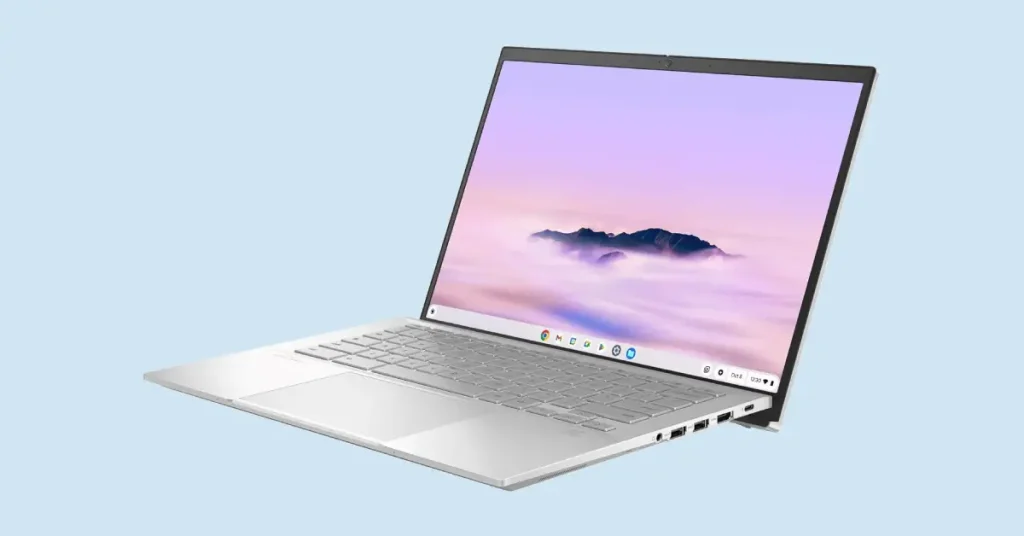
Why it’s a winner: If you crave a truly premium Chromebook experience with top-tier design and performance, look no further. The Asus ExpertBook CX54 is built for those who demand excellence from their devices.
What the experts say: PCMag calls it a “Decent daily driver,” noting its impressive CPU and how it “far outperforms some budget models for a little more investment and creeps up on Chromebooks costing hundreds more.” They do note some chassis flex and a display that, while adequate, is “easily outclassed for not much more.”
Customer rave: “This Chromebook feels incredibly well-built, like a much more expensive laptop. The screen is stunning for watching movies after a long day of work, and the performance is snappy no matter how many tabs I have open. Worth every penny!” – David R., a professional graphic designer.
Key Features: Ultra-premium design, large trackpad, gorgeous display, fingerprint scanner, high-end Intel Core processor.
Buy the Asus ExpertBook CX54 Chromebook Plus at Amazon:

4. Acer Chromebook Plus 516 GE
Gaming on the go

Why it’s a winner: Yes, you can game on a Chromebook! The Acer Chromebook Plus 516 GE shatters preconceptions, offering a fantastic cloud-gaming experience with a display and features designed for immersive play.
What the experts say: PCMag gives it their “Editors’ Choice” award for being the “top-dog gaming Chromebook” and a “budget-friendly alternative to a Windows gaming laptop.” They praise its boosted performance, high-resolution display, and gamer-friendly features.
Customer rave: “I was skeptical about gaming on a Chromebook, but this thing blew me away. Cloud gaming is so smooth on that 120Hz screen, and the RGB keyboard is a nice touch. Perfect for when I’m traveling and want to get my game on,” says avid gamer, Jessica M.
Key Features: 16-inch 120Hz QHD display, backlit RGB keyboard, powerful Intel Core processor, excellent port selection.
Buy the Acer Chromebook Plus 516 GE at Best Buy:

5. Lenovo Chromebook Duet 11
Best value tablet/2-in-1

Why it’s a winner: For those who prioritize portability and the flexibility of a tablet, the Lenovo Chromebook Duet 11 offers an unbeatable package. It’s compact, lightweight, and surprisingly capable.
What the experts say: CNET hails it as an “excellent option for an inexpensive basic laptop for travel and at home.” They commend its versatility, improved pen performance, and good battery life, though they note it’s not ideal as a primary, heavy-duty computer
Customer rave: “I love how easily this transforms from a laptop to a tablet. It’s perfect for reading e-books on my commute and then attaching the keyboard for emails. The battery life is phenomenal!” – Emily S., a daily commuter.
Key Features: Compact 10.95-inch touch display, long battery life, included detachable keyboard, super portable.
Buy the Lenovo Duet 11 Chromebook 11 at Best Buy:

What to look for when buying a Chromebook
When choosing your ideal Chromebook, consider these key factors:
- Processor: For general use, an Intel Core i3 or AMD Ryzen 3 is usually sufficient. For heavier multitasking, creative work, or gaming, look for Intel Core i5/i7, Intel Core Ultra 5/7 AMD Ryzen 5/7, or the newer MediaTek Kompanio Ultra, and Snapdragon 7c chips.
- Memory: In terms of memory, 8GB RAM is the sweet spot for smooth performance and multitasking. While some budget models offer 4GB, it can feel limiting with multiple tabs and apps open.
- Storage: Chromebooks are cloud-centric, so local storage isn’t as critical as on a traditional laptop. 128GB SSD is common and usually plenty, but 256GB offers more breathing room for Android apps and downloads. Many also support expandable storage via SD cards.
- Display: Look for Full HD (1920×1080) resolution or higher. Brighter displays (300+ nits) are better for outdoor use. OLED screens, while pricier, offer vibrant colors and deep blacks.
- Battery Life: Most modern Chromebooks offer excellent battery life, typically 10+ hours. If you’re frequently on the go, prioritize models with longer endurance.
- 2-in-1 Convertible vs. Clamshell: Do you need the tablet functionality? A 2-in-1 offers flexibility, while a traditional clamshell is often more durable and budget-friendly.
- Chromebook Plus: Look for this designation! These devices meet higher performance standards, guaranteeing a smoother experience and access to the latest AI features.


4 thoughts on “Best Chromebooks to Buy in 2026: Expert Picks for Every Budget”